


ReferReach is a business referral company that focuses on engineering serendipity - or creating opportunities for productive networking - through its app. The app is designed to make business referrals more accessible, regular, and effortless.
As a Full-time UX designer, I was responsible for the end-to-end creation of the MVP for a period of 1.5 years, a journey that has been both challenging and rewarding."
The pandemic has significantly changed and transformed many aspects of our lives and work, including networking. Networking is an essential part of maintaining business relationships, as it helps us connect, provide value to each other, and conduct business.
However, networking presents a few challenges for people.
1. It is cumbersome and confusing for people.
2.It is often difficult to find the right people for you
3.It is difficult to maintain these relationships, (often we forget the names of the people we meet)
Therefore : How do we resolve these human needs and challenges? How can we make networking ‘better’?
I interviewed many diverse individuals- from race to professional titles and industries to better understand their networking needs, pain points and motivations.


Next, I gathered insights from the interviews and did affinity mapping to create themes and categories for pain points, motivations and insightful quotes.
After Doing Affinity Mapping and understanding the common themes in the interviews, I created a persona based on my findings.

Problem Statement
How might we create a platform that helps individuals seek valuable connections through specified needs and encourage them to actively support others as well?

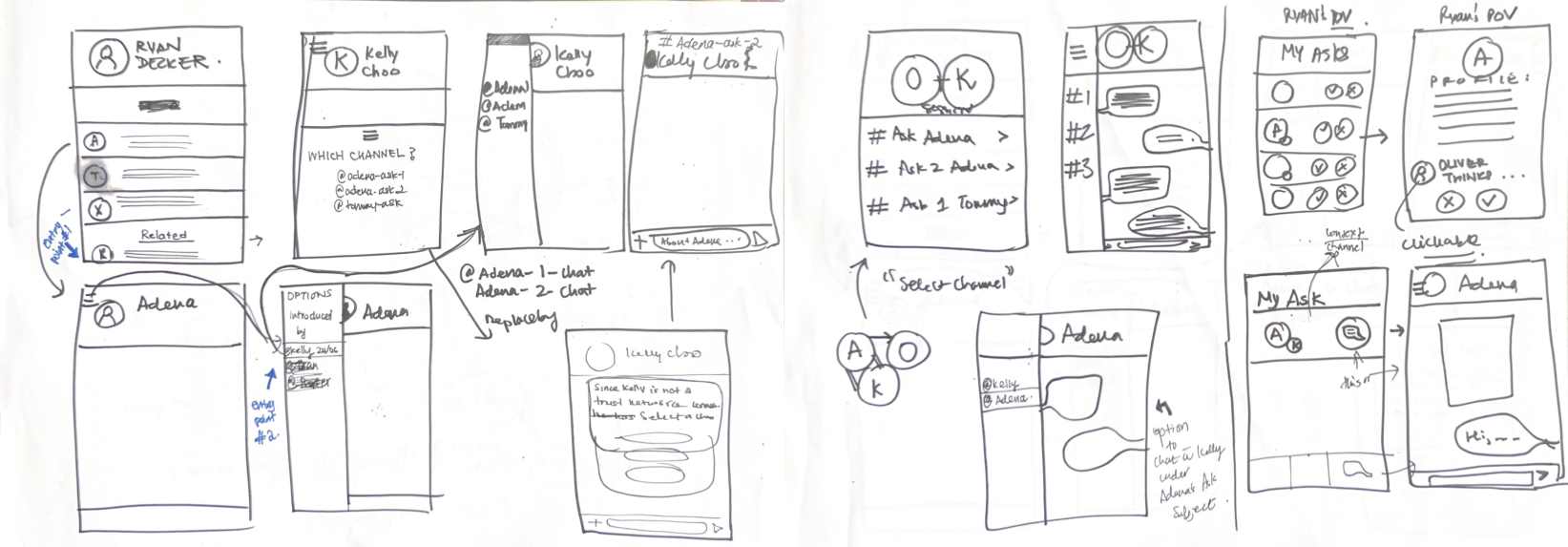
Users can introduce each other for the intention of helping out each other's Asks - creating a win-win situation for people seeking help and people seeking opportunities.
Users can match their network peers with other peers by their own discretion.
Users can share each other's Asks and bring in traction and engagement from outside the App through a unique link.

In order to prioritize and select the most impactful features for our MVP, my team and I documented the definitions, purposes, and user needs for each feature. By thoroughly evaluating the impact on users for each feature, we were able to eliminate any non-urgent features and focus on those that would be most valuable to our users.
To determine which project requirements would yield the highest return on investment, we employed the MoSCow method. This involved evaluating the impact on user needs, product-market fit, effort required, and feasibility for each requirement.
By carefully considering these factors, we were able to identify the requirements that would provide the best return on investment for our project.

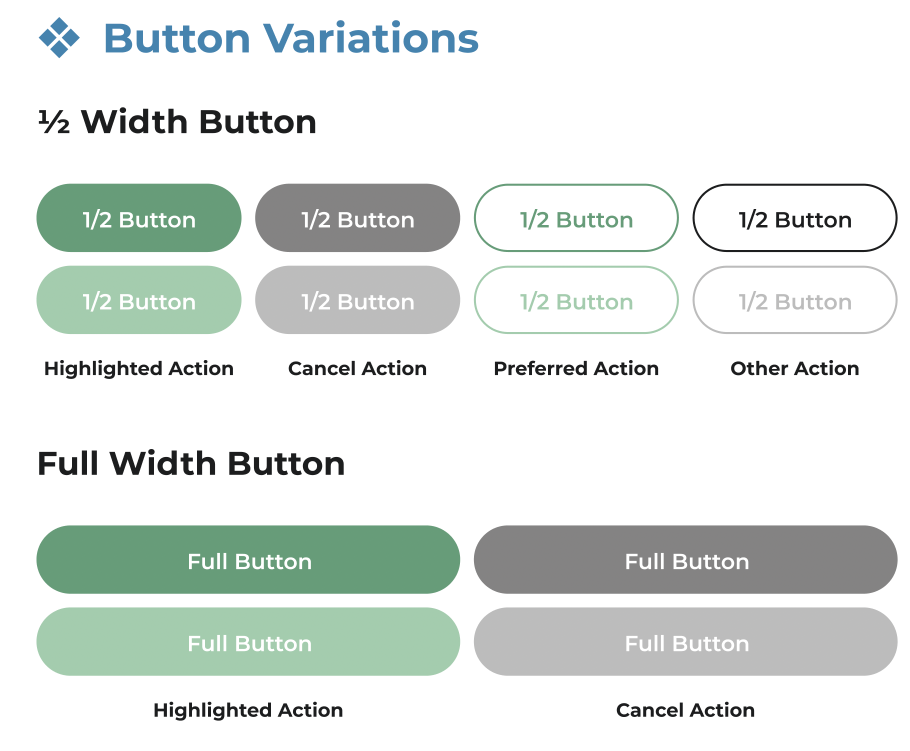
This is the primary design system that was used in the design process. ReferReach's color scheme was developed to reflect growth, trust and sincerity. These reflected in our color choices- green, blue and black respectively. The Design System was a flexible, growing system as our MVP went through multiple iterations and improvements.


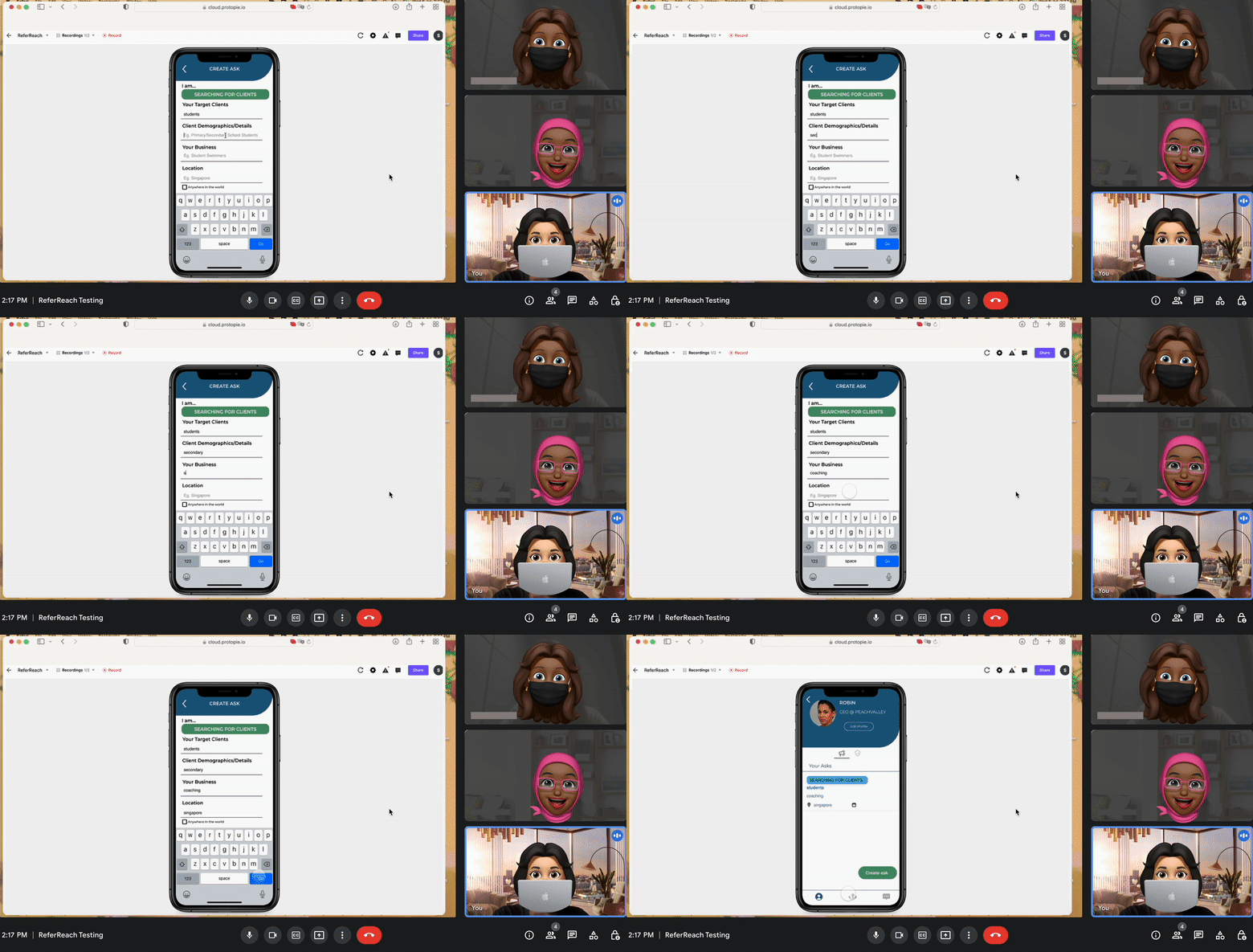
We as a team had a a lot of assumptions and ideas to test with actual users. Our designs always aimed to be data-driven and user-centric. I planned, organised and conducted many sessions of usability testings in the development process.
My process for user research varies with each goal, nevertheless, I initiated and formed a User Testing framework at the company to accommodate every type of goal, testing format, resources available and time limits and more



I create surveys to quickly gather insights from users about our Introduction features.
I conducted unmoderated tests on Maze- created MCQs, prototypes, concept testing, 5-second tests to evaluate our design.

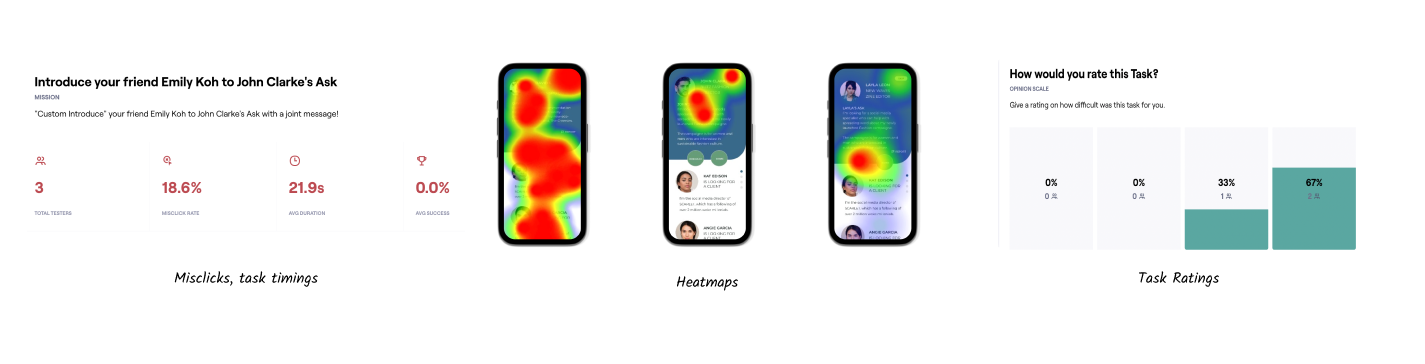
Testers found it challenging to use the interface, did not know how to respond, took 3 clicks to finish the Task.
Much of the testers were not able to retain any names or content that was clearly visible as seen in the MCQ results
Testers indiciated there is very little information about Responders to introduce someone to -that causes ambiguity on decision making.
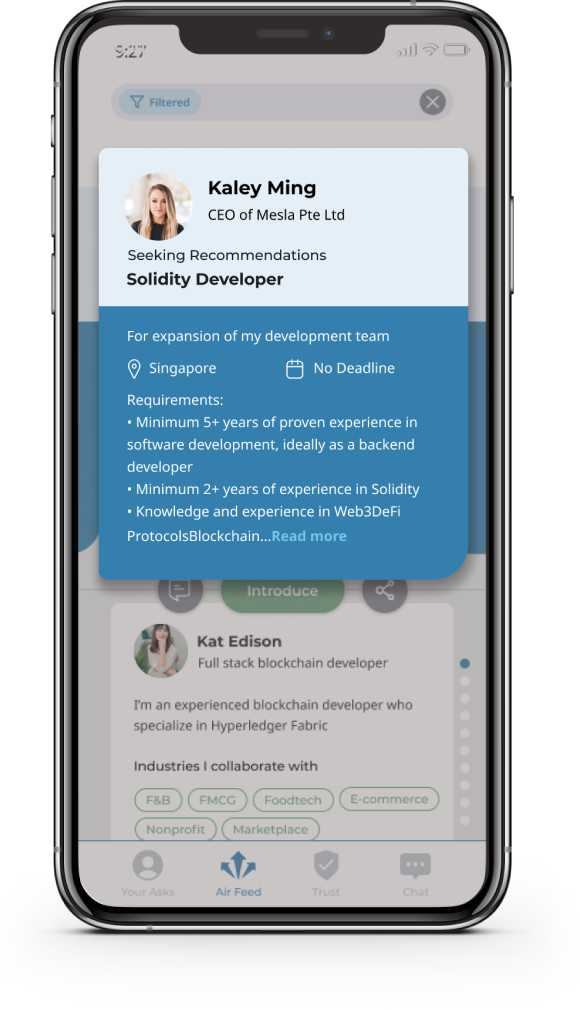
Asker's Card
Reduced Visual Clutter
In accordance with the Serial Position Effect [Primacy Effect ] Principle; people are likely to remember items first in the list.
Clearer Hierarchy including color, type contrast and grouping, enhancing the content that does not confuse or overwhelm the user.
Reduced Clicks
More information has been provided- such as deadline and location, reducing the need for clicking into the Ask to expand it.

CTA buttons
Reduced Clicks
We brought forward the Respond (chat) function in the feed to save the user clicks,
Which has made it simpler to the user to Respond.
Better CTA buttons
CTA buttons 's look and feel was improved and iconised to make it more intuitive and reduce text on the screen and introduce some white space.


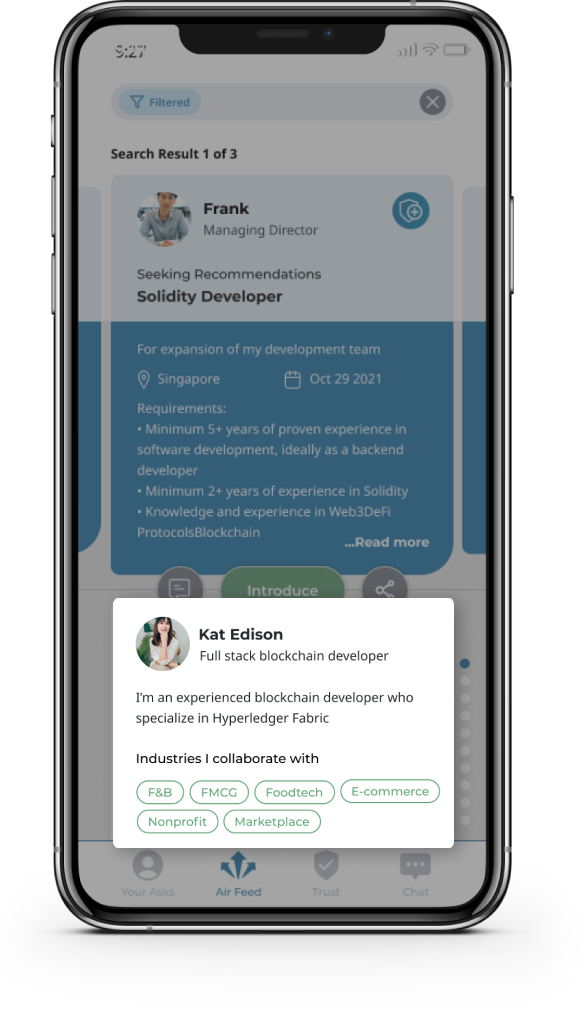
Responder Cards
Better Decision Making
We introduced tags to reflect what responders are looking for and what they prefer so introductions are more accurate, and require less effort.
This way everyone wins.


